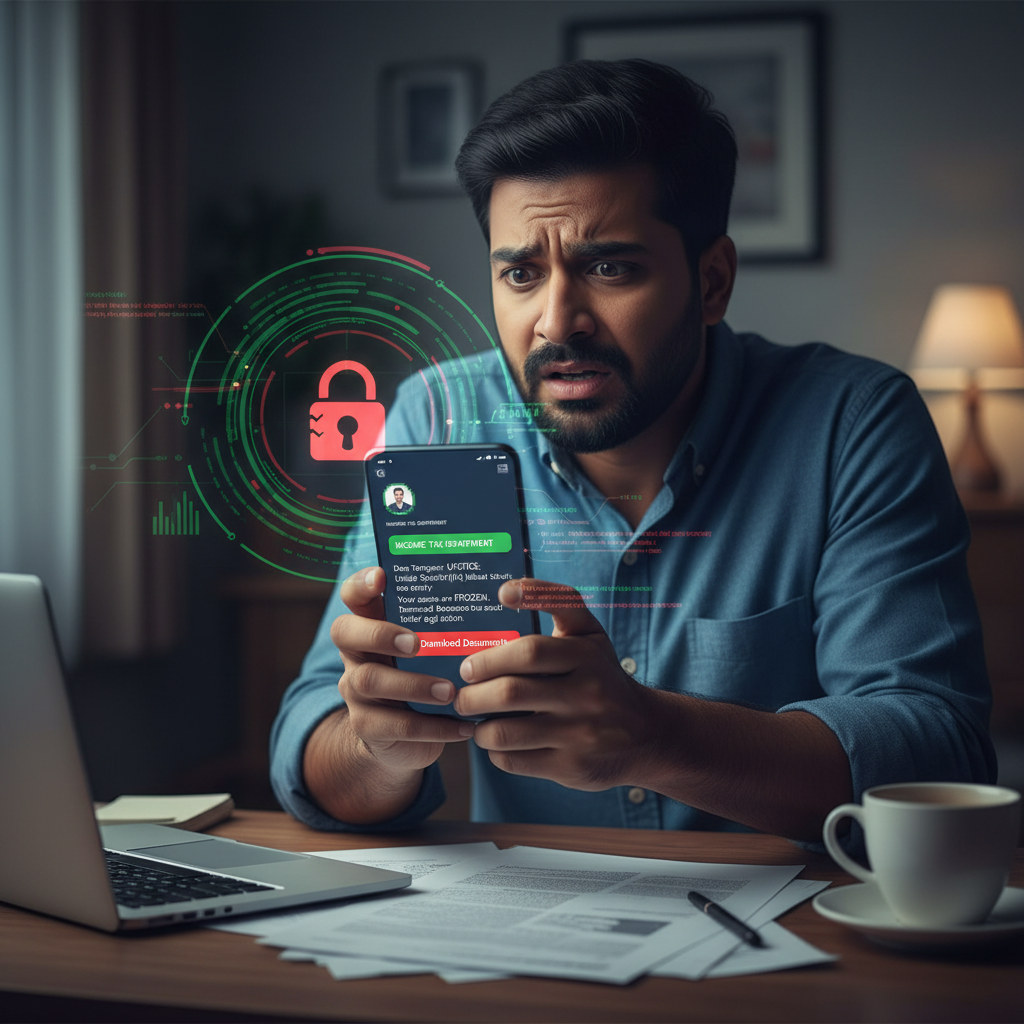
WhatsApp Income Tax notice Section 271(1)(c) malware link — what to do?
Beware! Scammers are sending fake Income Tax Department notices via WhatsApp, threatening hefty penalties if you don't download 'official documents' within 72 hours. These links lead to malicious websites designed to install malware on your device, compromising your personal and financial data.
How This Scam Works
This sophisticated scam preys on the fear and urgency associated with government communications, especially those related to taxes. Here's a breakdown of how it unfolds: 1. **The Deceptive Message:** You receive a WhatsApp message, often from an unknown number, but sometimes even from a seemingly legitimate-looking profile picture. The message purports to be from the "Income Tax Department" (ITD) or a similar official-sounding entity. It’s usually written with a sense of urgency and formality, attempting to mimic official government language. 2. **The Threat of Penalty:** The core of the scam is a threat. The message will claim that you have an outstanding issue, a discrepancy in your tax filings, or some other violation. Crucially, it will cite a specific section of the Income Tax Act, such as Section 271(1)(c) (which relates to concealment of income or furnishing inaccurate particulars), to add a layer of authenticity and intimidate you. It will then threaten significant penalties or legal action if you fail to comply. 3. **The Call to Action – "Download Documents":** To resolve this supposed issue, the message will instruct you to "Download Documents" or "View Official Memorandum" from a provided link. The urgency is amplified by setting a strict deadline, typically 24 or 72 hours. 4. **The Phishing Website:** Clicking the link takes you to a meticulously crafted phishing website. This site will often bear the official logos, colours, and even layout of the Income Tax Department's official e-filing portal or similar government sites. The aim is to convince you that you are on a genuine government platform. 5. **The Malicious Download:** Instead of genuine documents, the "download" button on this phishing site initiates the download of a malicious ZIP file or an APK (for Android users). Unbeknownst to the victim, opening this file installs malware onto their phone or computer. 6. **Malware Activation and Data Theft:** Once installed, this malware can be highly destructive. It can be a spyware that monitors your activities, a trojan that steals banking credentials, an info-stealer that scrapes sensitive data like Aadhaar details, PAN, UPI IDs, passwords, and OTPs, or even ransomware that encrypts your files and demands payment. Some sophisticated malware can even take control of your device, allowing scammers to intercept SMS messages (including OTPs) or access banking apps directly. 7. **Financial Loss and Identity Theft:** With access to your sensitive information, scammers can initiate fraudulent transactions from your bank account, apply for loans in your name, empty your digital wallets, or even sell your data on the dark web, leading to significant financial loss and long-term identity theft issues.
Red Flags
- Unsolicited Messages from Unknown Numbers:** The Income Tax Department communicates primarily through official channels (registered email, postal mail) or its secure e-filing portal. They will *never* send critical tax notices via WhatsApp from an unknown number.
- Threatening Language and Immediate Action Demands:** Any message that uses aggressive, threatening language (e.g., "final warning," "immediate legal action," "heavy penalties") and demands urgent action (e.g., "within 24 hours") is a major red flag. Official communications give reasonable time for response.
- Links to External Websites for "Downloads":** The ITD will direct you to their official e-filing portal (incometax.gov.in) for viewing notices or documents. They will *not* ask you to download ZIP files or software from third-party links via WhatsApp.
- Generic Greetings and Typos:** Scammers often use generic greetings ("Dear Taxpayer," "Attention User") and their messages may contain grammatical errors, misspellings, or unusual phrasing, which are uncharacteristic of official government communications.
- Requests for Personal Financial Information:** The ITD will never ask for your bank account number, debit/credit card details, UPI PIN, OTP, or passwords via WhatsApp, email, or phone.
- Unusual File Formats:** Be extremely wary of any unsolicited download that is a `.zip`, `.exe`, or `.apk` file, especially if it claims to be a document. Official documents are typically in PDF format.
How to Stay Safe
- Verify Everything:** If you receive any communication claiming to be from the Income Tax Department, do not click on any links. Instead, independently verify by visiting the *official* Income Tax e-filing portal (incometax.gov.in) and logging into your account.
- Never Click Suspicious Links:** Treat all unsolicited links with extreme suspicion. If a message seems even slightly off, do not click it. If you need to access government services, always type the official website address directly into your browser.
- Install Antivirus/Anti-Malware:** Ensure your smartphone and computer have reputable, updated antivirus or anti-malware software installed. Regularly scan your devices for threats.
- Enable Two-Factor Authentication (2FA):** Activate 2FA on all your critical accounts, especially banking, email, and social media. This adds an extra layer of security, making it harder for scammers to access your accounts even if they steal your password.
- Review Privacy Settings:** Be mindful of your WhatsApp privacy settings. Consider restricting who can add you to groups or see your profile picture.
- Educate Yourself:** Stay informed about common scam tactics. The more aware you are, the less likely you are to fall victim.
If You Are Targeted
- Do NOT Click the Link or Download Anything:** If you've received such a message but haven't clicked, simply delete the message and block the sender. Report the number to WhatsApp.
- If You Clicked and Downloaded:**
- Disconnect from the Internet Immediately:** Turn off Wi-Fi and mobile data on your device to prevent further data transmission or remote control by the malware.
- Scan Your Device:** Use your updated antivirus/anti-malware software to perform a full system scan and remove any detected threats.
- Change All Passwords:** From a clean device (e.g., a friend's phone or a secured computer), immediately change passwords for all critical accounts: banking, email, UPI apps, social media, and any other services you use.
- Notify Your Bank:** Inform your bank about the potential compromise. They can monitor your accounts for suspicious activity or temporarily block transactions if necessary.
- Report the Incident:**
- Cybercrime Portal:** File a complaint with the Indian Cybercrime Coordination Centre (I4C) at www.cybercrime.gov.in or call their helpline at 1930.
- WhatsApp:** Report the message and sender within the WhatsApp app.
- Income Tax Department:** You can also inform the ITD about phishing attempts through their official channels.
ScamGuard24 Insight
This scam is particularly dangerous because it leverages both social engineering (fear of tax authorities) and sophisticated technical attacks (malware). The integration of specific legal sections aims to disarm victims' skepticism, making independent verification crucial before any action is taken.
Suspect a scam right now?
Open ScamGuard24 ScannerRecommended protection tools
AffiliateWe may earn a small commission if you sign up — it never changes our editorial picks.
India's most trusted antivirus. Blocks malicious APKs, UPI phishing and fake banking apps.
Get Quick HealAll-in-one mobile security + VPN. Stops phishing links shared on WhatsApp and SMS.
Try Norton 360Stop reusing passwords. Auto-fills only on the real bank site, never on phishing pages.
Get NordPassRelated alerts
 HIGH RISK
Airline Customer Care fake number call for refund – what to do UPI?
 HIGH RISK
WhatsApp election duty payment pending — is it a scam? How to check in India
 HIGH RISK
Comments
Be the first to comment.