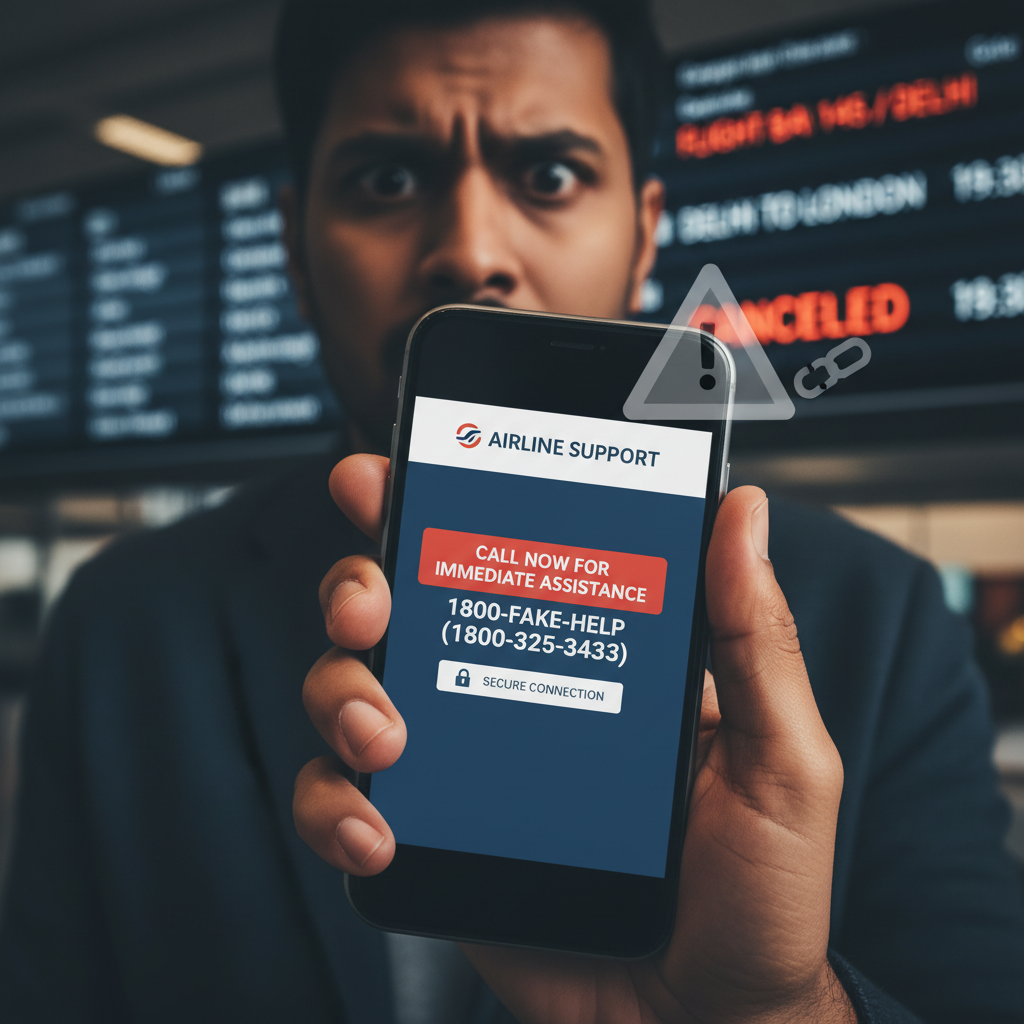
Airline Customer Care fake number call for refund – what to do UPI?
Fraudsters are impersonating airline customer care to trick unsuspecting victims searching for help online. They lure you into sharing sensitive banking details or downloading remote access apps under the guise of processing a flight refund, leading to significant financial loss. This scam exploits trust and urgency, often costing victims tens of thousands of rupees.
How This Scam Works
The scam typically begins when you, a customer, need assistance with an airline booking, perhaps due to a cancelled flight or a date change. You naturally turn to a search engine like Google to find the airline's customer care number. However, scammers have painstakingly created fake websites, paid search ads, or manipulated search engine results to display their fraudulent contact numbers as the official airline support. Once you dial this fake number, you are connected to a scammer who poses as an airline representative. They sound professional and sympathetic, quickly gaining your trust. They will confirm details about your flight and then inform you that you are eligible for a refund, often for a larger amount than expected, to make the offer more enticing. The core of the scam then unfolds: 1. **Request for Remote Access:** The scammer will claim that to process the refund, they need you to download a "special" app, often a remote access application like AnyDesk, TeamViewer, or QuickSupport. They'll explain this is for "verification" or to "streamline" the refund process directly into your account. Once installed and given access, the scammer can remotely view and control your phone or computer, gaining access to your banking apps, UPI, and other sensitive information. 2. **UPI Details/QR Code for Refund:** Alternatively, they might ask you to "confirm" your bank account or UPI details by sending you a UPI 'collect request' or asking you to scan a QR code. They will deceptively tell you that scanning the QR code or approving the UPI request will *credit* the refund amount to your account. In reality, scanning such a code or approving a collect request will *debit* money from your account. They might even guide you to enter your UPI PIN, stating it's for "validation" or "to receive the payment." As soon as you comply, whether by granting remote access or approving a UPI transaction, your bank account or UPI wallet is instantly debited, sometimes for a large sum like ₹50,000 or even more. By the time you realise what has happened, the scammers have vanished, and their fake numbers are disconnected.
Red Flags
- Customer care number not from official airline website:** You found the number via a general search engine result or an unfamiliar website, not directly from the airline's official domain (e.g., airindia.in, indigo.in).
- Request to download remote access app:** Any legitimate company, especially an airline, will NEVER ask you to download remote access software to process a refund or provide support.
- Asking to scan QR code or approve UPI "collect" request for a refund:** Refunds are *credited* to your account; you never need to scan a QR code or approve a UPI collect request to *receive* money.
- Asking for UPI PIN, ATM PIN, or Internet Banking password:** Legitimate customer support will never ask for your confidential banking PINs or passwords.
- High pressure to act immediately:** Scammers create urgency, saying the offer is time-sensitive or the refund window is closing, to prevent you from thinking clearly.
- Poor grammar or suspicious URLs:** While not always obvious over the phone, if you interact via chat or email, look for unprofessional language or non-official website links.
How to Stay Safe
- Always use official channels:** For any customer care needs, go directly to the airline's official website by typing the URL yourself (e.g., www.airindia.in, www.goindigo.in) into your browser. Never rely on numbers found via general search engine results or third-party sites.
- Never download remote access apps:** If anyone on a call asks you to download apps like AnyDesk, TeamViewer, or QuickSupport, immediately disconnect. These apps give others control over your device.
- Understand UPI transactions:** Remember, to *receive* money via UPI, you only need to share your UPI ID or registered mobile number. You *never* need to scan a QR code or enter your PIN to get a refund. Scanning a QR or entering a PIN *debits* your account.
- Guard your sensitive information:** Never share your UPI PIN, credit/debit card numbers, CVV, OTPs, internet banking passwords, or Aadhaar details with anyone over the phone or email, even if they claim to be from your bank or an airline.
- Verify calls:** If you receive a suspicious call, politely end the conversation and then independently verify by calling the official customer care number yourself (obtained from the official website).
If You Are Targeted
- Immediately block the card/account:** If money has been debited, contact your bank's emergency helpline or use their app to immediately block your debit card, credit card, and internet banking access.
- Report the transaction to your bank:** Lodge a formal complaint with your bank and report the fraudulent transaction as soon as possible. The faster you report, the higher the chance of recovery.
- File a cybercrime complaint:** Register a complaint on the National Cybercrime Reporting Portal at www.cybercrime.gov.in or call their helpline at 1930. Provide all details including the scammer's number, fake website URL, transaction details, and screenshots if any.
- Inform the airline:** Although the scam didn't originate from them, inform the actual airline about the impersonation, providing details of the fake number or website if possible.
- Preserve evidence:** Keep records of the fake number, website URLs, transaction IDs, and any communication with the scammers.
ScamGuard24 Insight
This scam thrives on urgency and the victim's immediate need for assistance, particularly when faced with travel disruptions. The integration of remote access apps and UPI 'collect request' mechanisms makes it highly effective, turning what appears to be a solution into a swift financial trap. Always verify sources independently and exercise extreme caution when asked to perform actions that debit your account or grant device access.
Suspect a scam right now?
Open ScamGuard24 ScannerRecommended protection tools
AffiliateWe may earn a small commission if you sign up — it never changes our editorial picks.
India's most trusted antivirus. Blocks malicious APKs, UPI phishing and fake banking apps.
Get Quick HealAll-in-one mobile security + VPN. Stops phishing links shared on WhatsApp and SMS.
Try Norton 360Stop reusing passwords. Auto-fills only on the real bank site, never on phishing pages.
Get NordPassRelated alerts
 HIGH RISK
WhatsApp election duty payment pending — is it a scam? How to check in India
 HIGH RISK
SMS electricity bill disconnected tonight, how to check if real?
 HIGH RISK
Comments
Be the first to comment.