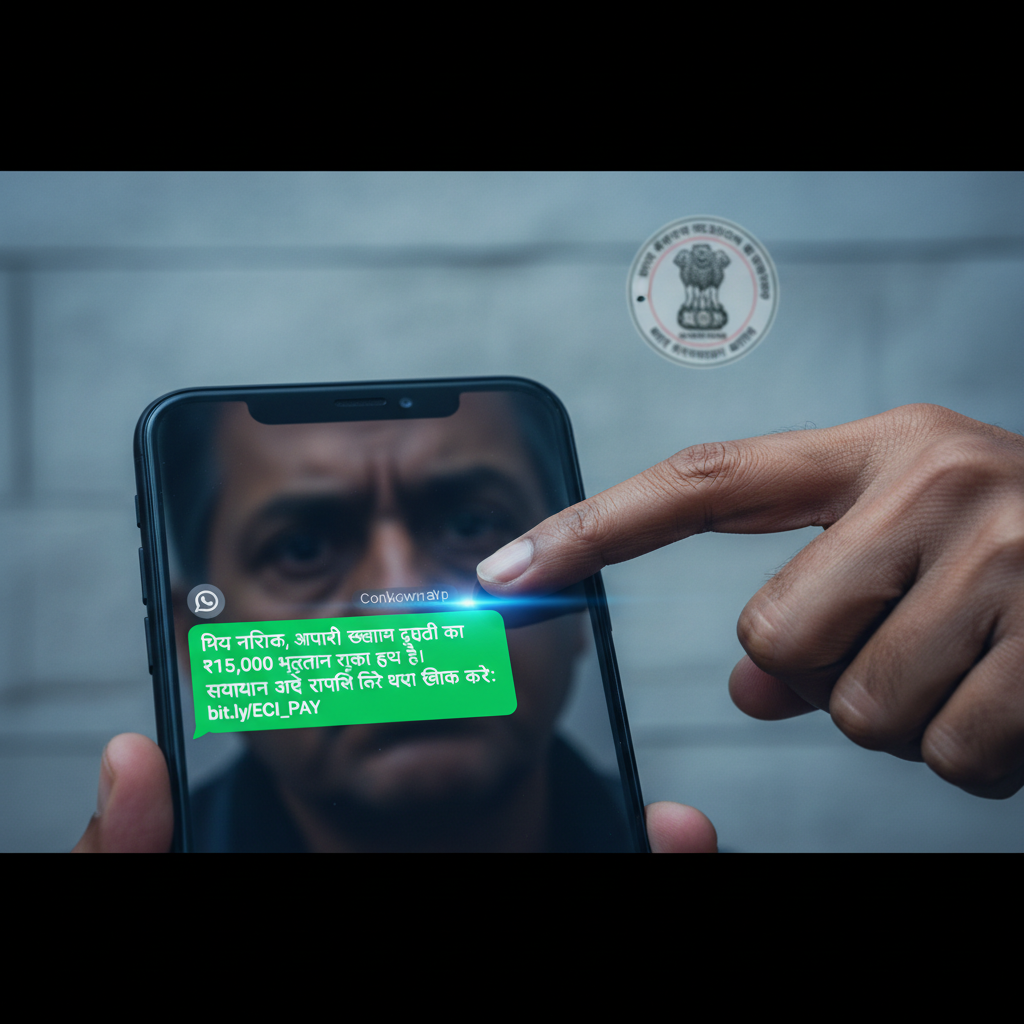
WhatsApp election duty payment pending — is it a scam? How to check in India
Be wary of messages claiming your election duty payment or bonus is pending. Scammers are impersonating Election Commission officials via WhatsApp, SMS, and phone calls to trick you into revealing personal information or granting remote access to your device. This high-risk scam aims to steal your money through various fraudulent tactics.
How This Scam Works
The "Election Duty Pay / Bonus Scam" preys on the anticipation and trust associated with government payouts, particularly for those who have recently performed civic duties like election work. Here's a detailed breakdown of how this sophisticated scam typically unfolds in India: 1. **Initial Contact:** You receive an unsolicited message, most commonly on WhatsApp, but sometimes via SMS or a direct phone call, from an unknown number. The sender often uses a profile picture that might appear official, perhaps featuring a government logo or a generic professional image. The message states that you have an outstanding payment or bonus, often a specific amount like ₹15,000, for your recent election duty. The language used is usually formal, sometimes with minor grammatical errors, and creates a sense of urgency. 2. **Impersonation and Urgency:** The scammer poses as an official from the Election Commission of India (ECI) or a related government department. They might use terms like "Election Commission Disbursement Department" or "State Election Office." The message will claim that due to a "technical glitch," "incomplete KYC," or "pending verification," your payment cannot be disbursed immediately. This creates a plausible excuse for the delay and sets the stage for their next step. 3. **The Bait – Verification Request:** To "resolve" this alleged issue and process your payment, the scammer will then ask you to perform one of several actions: * **Click a Malicious Link:** They provide a link, often disguised as an official government portal or payment gateway. Clicking this link can lead to a phishing website designed to steal your banking credentials, UPI PIN, Aadhaar number, or other sensitive personal information. * **Call a Fraudulent Number:** They instruct you to call a specific phone number to "verify" your details. When you call, the scammer, acting as a customer service representative, will try to extract your personal information or guide you through fraudulent steps. * **Install Remote Access Apps:** This is a particularly dangerous tactic. The scammer might claim that a special app is required to complete the verification or payment process. They will then guide you to download a remote access application (like AnyDesk, TeamViewer, QuickSupport, etc.) onto your smartphone or computer. Once installed, they will ask you for the access code, effectively granting them full control over your device, including access to your banking apps, messages, and saved passwords. * **Share OTPs:** Under the guise of "confirming your identity" or "linking your bank account," they will ask you to share an OTP (One-Time Password) that you receive. This OTP is often for a transaction they are initiating from your bank account or e-wallet. 4. **The Financial Loss:** Once the scammer obtains your sensitive information, remote access, or an OTP, they can execute various fraudulent activities: * **Unauthorized Bank Transfers:** They can drain your bank account, initiate UPI transactions, or make online purchases. * **Identity Theft:** Your stolen personal data (Aadhaar, PAN, KYC details) can be used for identity theft, opening fake accounts, or taking out loans in your name. * **E-wallet Fraud:** They can access and deplete funds from your digital wallets. * **Credit Card Fraud:** If credit card details are compromised, they can make unauthorized purchases. 5. **Target Audience:** This scam primarily targets individuals who have indeed performed election duty or those who might be expecting any form of government payout. The scammers often rely on publicly available information or simply mass-message hoping to hit a relevant target. The elderly, less tech-savvy individuals, and those eager for additional income are particularly vulnerable. The use of familiar terms like "Election Duty" and "pending payment" adds a layer of legitimacy that can be difficult for unsuspecting individuals to question immediately.
Red Flags
- Unsolicited Messages from Unknown Numbers:** Official government communications regarding payments are rarely initiated via personal WhatsApp messages or random SMS from unverified numbers.
- Urgency and Pressure Tactics:** Any message demanding immediate action to claim a payment, or threatening forfeiture if you don't respond quickly, is a major red flag.
- Request for Personal Information or OTPs:** Government agencies or banks will NEVER ask for your full bank account number, UPI PIN, credit card CVV, or OTP over the phone, message, or via unofficial links.
- Requests to Download Remote Access Apps:** Being asked to install apps like AnyDesk, TeamViewer, or QuickSupport to "receive payment" or "verify details" is a definitive sign of a scam. These apps give scammers full control over your device.
- Suspicious Links:** Links in messages that don't clearly belong to an official government domain (e.g., end in .gov.in) or look like shortened URLs (bit.ly, tinyurl) should be treated with extreme caution.
- Grammatical Errors or Unprofessional Language:** While not always present, poorly written messages with grammatical mistakes or unusual phrasing can indicate a scam.
How to Stay Safe
- Verify Independently:** If you receive such a message, do not respond directly. Instead, contact the Election Commission of India (ECI) or the relevant state election office through their official website or officially published contact numbers to verify the claim.
- Never Click Suspicious Links:** Do not click on any links provided in unsolicited messages. Always type official website URLs directly into your browser.
- Never Share OTPs or Personal Details:** Under no circumstances should you share your OTP, UPI PIN, bank account details, Aadhaar number, or any other sensitive personal or financial information with anyone who contacts you unsolicited.
- Refuse Remote Access Requests:** Absolutely decline any requests to download remote access applications like AnyDesk or TeamViewer. No legitimate entity will ever ask you to do this for payment disbursement.
- Block and Report:** Block the sender's number immediately and report the scam message to WhatsApp (if applicable) and to the National Cybercrime Reporting Portal (cybercrime.gov.in).
- Educate Yourself and Others:** Stay updated on common scam tactics and share this information with friends and family, especially elderly relatives who might be more susceptible.
If You Are Targeted
- Do NOT Engage Further:** If you suspect you're being targeted, stop all communication with the scammer immediately. Do not click links, call numbers, or provide any information.
- Gather Evidence:** Take screenshots of the WhatsApp messages, record the caller's number, and note down any details shared by the scammer. This evidence will be crucial for reporting.
- Report to Cybercrime Authorities:** Immediately file a complaint on the National Cybercrime Reporting Portal (www.cybercrime.gov.in) or call the helpline number 1930. Provide all the evidence you have gathered.
- Inform Your Bank:** If you have shared any bank details or believe your account may be compromised, contact your bank's fraud department immediately to block your cards or freeze your account.
- Change Passwords:** If you clicked on a phishing link or inadvertently entered credentials, change all your important passwords (banking, email, social media) without delay.
- Factory Reset Device (Extreme Case):** If you downloaded a remote access app and gave control to the scammer, consider backing up essential data and performing a factory reset on your device after consulting a cybersecurity expert.
ScamGuard24 Insight
This scam is highly effective because it leverages the recipient's expectation of legitimate government payments and the perceived authority of official communication channels like WhatsApp. The shift to requesting remote access instead of just OTPs represents a significant escalation in sophistication, allowing scammers direct control over victims' financial apps. Vigilance and adherence to official verification channels are paramount to avoid financial compromise.
Suspect a scam right now?
Open ScamGuard24 ScannerRecommended protection tools
AffiliateWe may earn a small commission if you sign up — it never changes our editorial picks.
India's most trusted antivirus. Blocks malicious APKs, UPI phishing and fake banking apps.
Get Quick HealAll-in-one mobile security + VPN. Stops phishing links shared on WhatsApp and SMS.
Try Norton 360Stop reusing passwords. Auto-fills only on the real bank site, never on phishing pages.
Get NordPassRelated alerts
 HIGH RISK
SMS electricity bill disconnected tonight, how to check if real?
 HIGH RISK
WhatsApp/Telegram Election Data Entry Job Scam India — Is it real?
 HIGH RISK
Comments
Be the first to comment.