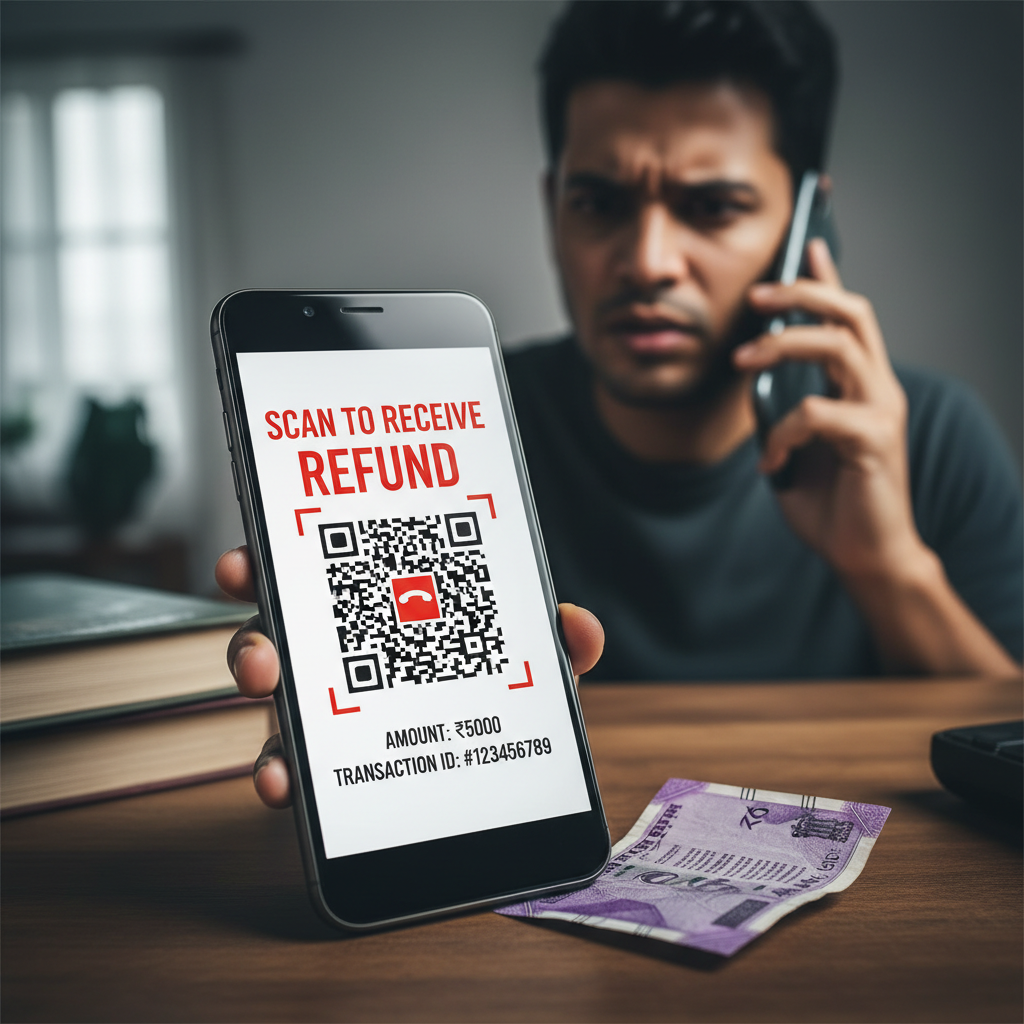
PhonePe refund QR scam — caller asking to scan code, what to do?
Fraudsters are using a cunning trick to empty your bank account by pretending to help you with a failed UPI transaction. They call you, claim your payment didn't go through, and then instruct you to scan a QR code to "receive a refund," which actually initiates a payment *from* your account. This scam preys on the immediate concern of lost money and the perceived authority of the caller.
How This Scam Works
The UPI Refund Scam typically starts with an unsolicited call. The scammer, posing as a representative from your bank, UPI service provider (like PhonePe or GPay), or even a merchant, will inform you that a recent UPI transaction you made has "failed" or is "stuck in pending." They often sound professional and reassuring, sometimes even claiming to have your transaction details (though these are usually generic or publicly available). They will then tell you that to process your "refund," you need to follow a specific set of instructions. The most common and dangerous instruction is to "scan a QR code." They will either send you a QR code via WhatsApp, SMS, or even ask you to find one on a fake website they direct you to. The critical point here is understanding how UPI QR codes work. When you scan a QR code for a payment, it's usually to *send* money to the recipient associated with that code. However, here, the scammer manipulates this process. They will frame it as "authorizing the refund" or "confirming your account for credit." In reality, scanning their QR code and then entering your UPI PIN *initiates a payment from your account to theirs*, not a refund to yours. Sometimes, instead of a QR code, they might ask you to download a "remote access" app, claiming it's required for verifying your account or processing the refund directly. This is equally dangerous, as these apps allow the scammer to see and control your phone, accessing sensitive information like bank apps, OTPs, and even initiating transactions without your direct knowledge. The scammer maintains constant pressure, urging you to act quickly, often stating that the refund window is closing or the transaction will be permanently lost. This sense of urgency is designed to prevent you from thinking clearly or verifying their claims. Once you enter your UPI PIN after scanning their fraudulent QR code or giving them remote access, your money is gone, often transferred to multiple accounts to obscure the trail. They might even ask for your OTP received via SMS, further compromising your account.
Red Flags
- Unsolicited Calls About Failed Transactions:** Genuine banks or UPI platforms rarely call you proactively about failed transactions and almost never ask you to take specific actions like scanning QR codes for refunds. You would typically receive an SMS notification or see the status in your app.
- Instructions to Scan a QR Code for a Refund:** This is the most crucial red flag. Remember: scanning a QR code with a UPI app is for *sending* money, not *receiving* it. A legitimate refund mechanism will credit your account directly or through a proper bank transfer, without you needing to scan anything or enter a PIN.
- Requests for Your UPI PIN, OTP, or Bank Details:** No legitimate entity will ever ask for your UPI PIN, full debit/credit card numbers (especially the CVV), net banking password, or OTP over the phone, email, or SMS. Your PIN and OTP are strictly for *your* use to authorize transactions.
- Pressure and Urgency:** Scammers often create a sense of panic, telling you to act immediately or risk losing your money permanently. Legitimate processes allow you time to review and understand.
- Asking You to Download Remote Access Apps:** Any request to download apps like "AnyDesk," "TeamViewer," or similar screen-sharing tools for customer support is a major red flag. These apps give scammers control over your device.
- Poor Language or Generic Greetings:** While some scammers are sophisticated, others might use generic greetings, display poor grammar in messages, or have accents that don't match regional customer service.
- Number Spoofing:** Scammers can spoof official bank or UPI customer care numbers. Always be suspicious, even if the caller ID looks legitimate.
How to Stay Safe
- Never Scan a QR Code to Receive Money:** This is paramount. If someone tells you to scan a QR code to get a refund or receive money, it's a scam, 100% of the time. Scanning a QR code using a UPI app is for *sending* money.
- Verify Directly with the Official Source:** If you receive a call about a "failed transaction," do not trust the caller. Hang up and independently call the *official* customer care number of your bank or the UPI app (PhonePe, GPay, etc.) that you use, found only on their official website or app. Never use numbers provided by the caller.
- Understand UPI Flow:** For UPI, you *enter your PIN to send money*. You do *not* enter a PIN to receive money. If a screen asks for your PIN to "complete the refund," it's actually asking you to authorize a payment *from* your account.
- Be Skeptical of Unsolicited Communications:** Always treat unexpected calls, SMS, or emails with extreme caution, especially if they involve money.
- Protect Your UPI PIN and OTP:** Never share your UPI PIN or any One-Time Password (OTP) with anyone, for any reason. These are your keys to your money.
- Regularly Check Bank Statements:** Keep a close eye on your bank account and UPI transaction history to spot any unauthorized activity quickly.
- Enable App Locks:** Use app locks for your banking and UPI apps to add an extra layer of security.
If You Are Targeted
- Do Not Panic and Do Not Act:** If you've received such a call, do not follow any instructions. The scammer relies on your panic.
- Just Hang Up:** The simplest and safest action is to immediately disconnect the call. Do not engage in any arguments or try to reason with the scammer.
- Block the Number:** Add the scammer's number to your blocked list to prevent further harassment.
- Report the Incident:**
- National Cybercrime Helpline:** Immediately call the National Cybercrime Helpline 1930 and visit www.cybercrime.gov.in to file a formal complaint. Time is crucial for potentially recovering funds.
- Bank/UPI Provider:** Inform your bank and the respective UPI platform (PhonePe, GPay) about the attempted fraud.
- Inform Others:** Share your experience with family and friends to raise awareness and prevent them from falling victim.
ScamGuard24 Insight
This scam perfectly exploits the trust users place in digital payment systems and the fear of losing money. The Indian context of rapid UPI adoption makes this particularly effective, as some users may not fully grasp the underlying mechanics of QR codes and PIN usage for different transaction types. Always remember that legitimate refunds will credit your account; you will never be asked to take an action that involves entering your PIN to *receive* money.
Suspect a scam right now?
Open ScamGuard24 ScannerRecommended protection tools
AffiliateWe may earn a small commission if you sign up — it never changes our editorial picks.
India's most trusted antivirus. Blocks malicious APKs, UPI phishing and fake banking apps.
Get Quick HealAll-in-one mobile security + VPN. Stops phishing links shared on WhatsApp and SMS.
Try Norton 360Stop reusing passwords. Auto-fills only on the real bank site, never on phishing pages.
Get NordPass

Comments
Be the first to comment.