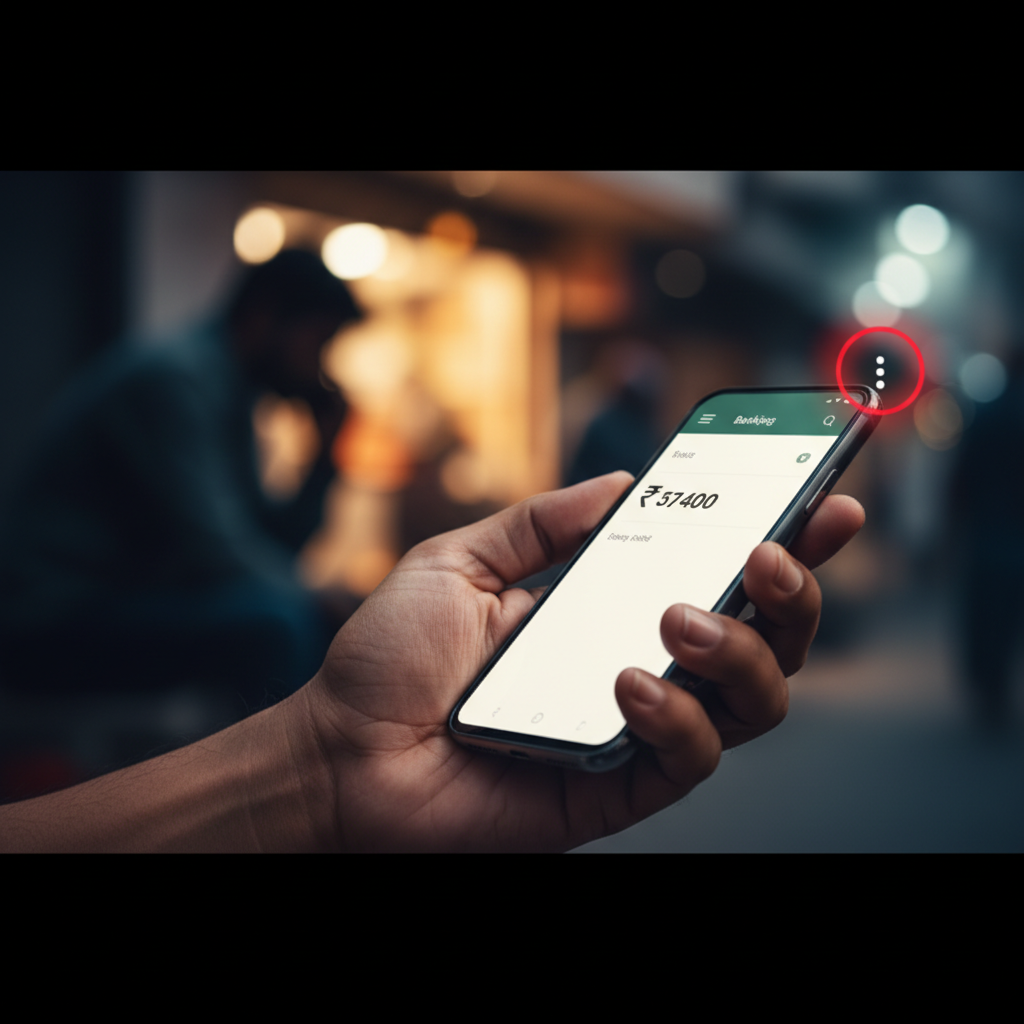
Phone call asked me to tap 'three dots' on WhatsApp - ₹ lost, what to do?
A dangerous new scam is targeting Indians, where fraudsters trick victims into tapping a seemingly innocuous 'three dots' icon on their phones. This action inadvertently grants scammers remote access, leading to significant financial losses from bank accounts. Be extremely vigilant against such tactics, especially if you receive unsolicited calls or messages.
How This Scam Works
This sophisticated scam, often initiated through a phone call or WhatsApp message, preys on our inherent trust and familiarity with common mobile interfaces. The scammer first establishes contact, often under a convincing pretext. In the given example, the fraudster impersonated a shoe order representative, knowing that online shopping is prevalent in India. They might also pretend to be from your bank, a government agency (like Aadhaar or KYC verification), or even a popular e-commerce platform. Once they have your attention, they'll guide you through a series of seemingly harmless steps on your phone. The crucial and most dangerous step involves directing you to tap on the 'three dots' icon (often found in the top right corner of many apps, including WhatsApp, or even your phone's general settings menu). They might say it's for "verification," "order confirmation," "refund processing," or "to fix a technical issue." What you don't realise is that by tapping these 'three dots' and following further instructions (which might involve selecting "Link Device," "Screen Sharing," "Remote Access," or even just granting specific permissions), you are unknowingly enabling them to access your phone remotely. This can be done through legitimate remote access software or by exploiting vulnerabilities in certain apps. Once they have control, they can view your screen, access your banking apps, initiate UPI transfers, and siphon off your money without you even touching your phone. They might ask you to keep your phone unlocked, or even to momentarily look away, giving them the window they need to execute transactions. The woman in Lucknow lost ₹3.05 lakh because the scammer had gained unauthorized access to her banking apps and initiated transfers, all while she was under the impression she was just following instructions for her shoe order. The speed and stealth with which these transactions occur make it incredibly difficult for victims to react in time.
Red Flags
- Unsolicited Calls/Messages with Urgent Requests:** You receive a call or message from an unknown number, and they immediately pressure you to take an action, particularly if it involves your phone settings or banking.
- Requests to Tap 'Three Dots' or Navigate Specific Phone Settings:** Any caller who directs you to tap the 'three dots' icon, go into your phone's settings, or enable screen sharing, particularly if they claim it's for a refund, order, or verification, is a massive red flag.
- Impersonation of Brands/Banks/Government:** Scammers frequently pretend to be from reputable organisations like SBI, HDFC, Amazon, Flipkart, or even government departments for KYC or Aadhaar updates. Always verify independently.
- Demands for UPI PIN, OTP, or Bank Details:** No legitimate entity will ever ask you to share your UPI PIN, full OTP, debit/credit card CVV, or internet banking password over the phone or message.
- Distraction Tactics:** They might engage you in conversation while simultaneously instructing you to perform actions on your phone, keeping you occupied while they work in the background.
How to Stay Safe
- Never Grant Remote Access:** Absolutely never grant remote access to your device to anyone you don't personally know and trust, especially if requested over an unsolicited call or message.
- Verify Identity Independently:** If someone calls claiming to be from your bank, an e-commerce company, or any service provider, hang up immediately. Then, call them back on their official customer service number (found on their website or your bank statements, not from the number that called you).
- Be Wary of 'Three Dots' Instructions:** If anyone tells you to tap 'three dots' or navigate other specific settings on your phone for verification, refund, or order issues, it's almost certainly a scam.
- Guard Your PIN and OTP:** Your UPI PIN and OTPs (One Time Passwords) are like the keys to your financial vault. Never share them with anyone, under any circumstances. Legitimate entities will never ask for them.
- Maintain Device Security:** Keep your phone's software updated, use a strong screen lock, and consider installing a reputable mobile security app. Regularly review app permissions.
- Educate Yourself and Others:** Share this information with your family and friends, especially elders, who are often targeted by such scams.
If You Are Targeted
- Disengage Immediately:** If you realise you're being scammed, hang up the call or stop communicating with the scammer immediately. Do not follow any further instructions.
- Disconnect Internet/Lock Phone:** If remote access might have been granted, immediately disconnect your phone from the internet (turn off Wi-Fi and mobile data) or power it off to break the connection.
- Change All Passwords:** Change passwords for your banking apps, UPI apps, email, and any other critical accounts from another secure device.
- Contact Your Bank and UPI Provider:** Inform your bank and UPI service provider (e.g., Paytm, PhonePe, Google Pay) about the fraudulent transactions immediately. Request them to block your cards and accounts if necessary.
- File a Cybercrime Complaint:** Lodge a complaint on the National Cybercrime Reporting Portal (cybercrime.gov.in) or call 1930. Provide all details, including call numbers, messages, and transaction IDs.
- Monitor Your Bank Statements:** Keep a close eye on your bank statements for any further suspicious activity.
ScamGuard24 Insight
This scam's effectiveness lies in exploiting both social engineering and basic UI familiarity. By leveraging common app interfaces, fraudsters lower a victim's guard, making them believe they are performing routine actions, when in fact they are granting dangerous levels of access. Vigilance and a healthy dose of suspicion towards unsolicited digital requests are paramount to protect yourself.
Suspect a scam right now?
Open ScamGuard24 ScannerRecommended protection tools
AffiliateWe may earn a small commission if you sign up — it never changes our editorial picks.
India's most trusted antivirus. Blocks malicious APKs, UPI phishing and fake banking apps.
Get Quick HealAll-in-one mobile security + VPN. Stops phishing links shared on WhatsApp and SMS.
Try Norton 360Stop reusing passwords. Auto-fills only on the real bank site, never on phishing pages.
Get NordPassRelated alerts
 HIGH RISK
Telegram IPL fixed match betting tips scam India – what to do?
 HIGH RISK
FXTM/CoinW app fake crypto investment — how to check if it's a scam in India
 HIGH RISK
Comments
Be the first to comment.