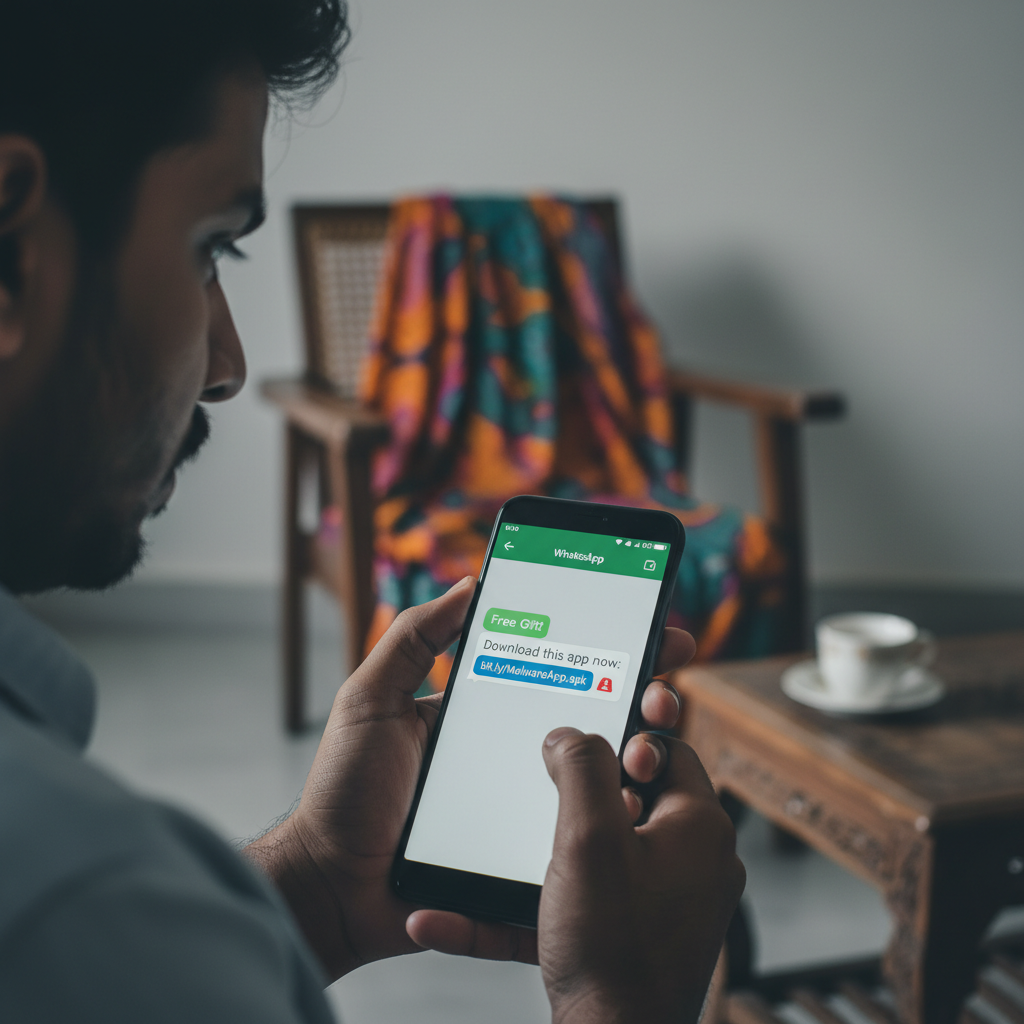
WhatsApp fake bank APK install scam – what to do if you get one?
Fraudsters are distributing malicious 'bank' or 'government' APKs (Android Application Packages) via WhatsApp, tricking individuals into installing them. These fake apps steal banking credentials and drain accounts, leading to significant financial losses for unsuspecting victims in India. Be extremely wary of unsolicited app download requests on WhatsApp.
How This Scam Works
This insidious scam preys on trust and urgency, often mimicking legitimate communication channels. Here's a step-by-step breakdown: 1. **The Initial Contact:** You receive a WhatsApp message, often from an unknown number or a spoofed one designed to look like your bank (e.g., SBI, HDFC, PNB) or a government agency (e.g., Income Tax Department, Aadhaar Authority). The message might claim an urgent issue with your account – a blocked KYC, a pending refund, a required update, or even a 'digital arrest' notice. 2. **The Lure of the Malicious APK:** To "resolve" the fabricated issue, the fraudster instructs you to download and install an application. Instead of directing you to official app stores (Google Play Store), they send a direct link to an `.apk` file (e.g., `customersupport.apk`, `PNB One.apk`, `KYC_Update.apk`). They might insist it's a "secure update" or a "special version" not available on public app stores. 3. **Installation and Permissions:** When you click the link, your phone downloads the `apk` file. Installing it bypasses the security checks of official app stores. During installation, the fake app often requests extensive permissions – *critical ones like SMS access, call logs, contacts, camera, and even accessibility services*. Victims, often in a hurry or under pressure, grant these permissions without fully understanding their implications. 4. **Data Theft and Account Compromise:** Once installed and granted permissions, the malicious app goes to work. * **SMS Interception:** It reads your incoming SMS messages, especially critical for intercepting One-Time Passwords (OTPs) from your bank for transactions. * **Keystroke Logging:** Some advanced malware can log your keystrokes, capturing your UPI PIN, banking passwords, and other sensitive information as you type them into legitimate banking apps. * **Remote Control:** In some cases, the app allows the fraudsters remote access to your device, letting them initiate transactions directly from your phone. * **Screen Overlay:** They might display fake login screens over legitimate banking apps, tricking you into entering your credentials. 5. **Financial Loss:** With access to your OTPs and banking credentials, fraudsters swiftly initiate unauthorized transactions, emptying your bank account, credit card limits, or digital wallets like UPI. The victim often only realizes what has happened when they receive transaction alerts for money they didn't send. The examples provided – a retired banker losing ₹11.4 lakh, another individual ₹5 lakh to a 'PNB One.apk', and a 77-year-old losing ₹53 lakh – highlight the devastating financial impact of these scams.
Red Flags
- Unsolicited APK Links:** Any message on WhatsApp asking you to download an app via a direct `.apk` link (not from Google Play Store or Apple App Store).
- Urgency and Threat Language:** Messages creating a sense of panic, threatening account blockages, legal action ("digital arrest"), or loss of funds if you don't act immediately.
- Grammar and Spelling Errors:** While not foolproof, many scam messages contain noticeable grammatical mistakes or awkward phrasing.
- Unverified Sender:** Messages from unknown numbers claiming to be your bank or a government agency. Always verify the source.
- Requests for Unnecessary Permissions:** If an app that claims to be a simple "update" asks for extensive permissions like SMS, contacts, and accessibility services.
- Bypassing Official Channels:** Insistence on using a specific app or link instead of directing you to your bank's official website or verified app store listings.
- Generic Greetings:** Scammers often use generic greetings like "Dear Customer" instead of your name.
How to Stay Safe
- NEVER Install APKs from Unknown Sources:** This is the golden rule. Only download apps from official app stores like Google Play Store or Apple App Store. Enable "Block unknown source installations" in your phone's security settings.
- Verify Sender Authenticity:** If you receive a suspicious message claiming to be from your bank or a government agency, *do not click any links*. Instead, independently contact the institution through their official customer service number (found on their official website) or visit a branch.
- Be Skeptical of Urgency:** Fraudsters thrive on creating panic. Take a moment to think and verify before acting on urgent requests.
- Review App Permissions:** Always check the permissions an app requests during installation. If they seem excessive for the app's purported function, cancel the installation.
- Keep Your Software Updated:** Regularly update your phone's operating system and security software to protect against known vulnerabilities.
- Use a Reputable Mobile Security App:** Install and maintain a good antivirus/anti-malware app on your smartphone.
- Educate Yourself and Others:** Share this information with family and friends, especially elderly relatives who might be less tech-savvy.
If You Are Targeted
- Disconnect Immediately:** If you suspect you've installed a malicious app, immediately disconnect your phone from the internet (turn off Wi-Fi and mobile data).
- Uninstall the Suspicious App:** Go to your phone's settings and uninstall the fake app. If you can't find it, consider a factory reset (after backing up crucial data, but be careful not to back up the malware itself).
- Change All Passwords:** Use another device (a computer or another phone) to immediately change passwords for your online banking, UPI apps, email, social media, and any other critical accounts.
- Inform Your Bank:** Contact your bank's fraud department immediately to report the unauthorized transactions and block your accounts/cards.
- Report to Cyber Crime Helpline:** File a complaint with the National Cyber Crime Helpline at 1930 or visit `www.cybercrime.gov.in`. Provide all details, including screenshots of the WhatsApp messages.
- Monitor Your Accounts:** Keep a close watch on your bank statements and transaction history for any further suspicious activity.
ScamGuard24 Insight
This scam leverages social engineering to bypass technical security measures, turning the victim's own device into a tool for fraud. The rising complexity of these fake APKs, coupled with convincing WhatsApp lures, makes them a significant threat, especially to those less familiar with mobile app security protocols.
Suspect a scam right now?
Open ScamGuard24 ScannerRecommended protection tools
AffiliateWe may earn a small commission if you sign up — it never changes our editorial picks.
India's most trusted antivirus. Blocks malicious APKs, UPI phishing and fake banking apps.
Get Quick HealAll-in-one mobile security + VPN. Stops phishing links shared on WhatsApp and SMS.
Try Norton 360Stop reusing passwords. Auto-fills only on the real bank site, never on phishing pages.
Get NordPassRelated alerts
 HIGH RISK
WhatsApp politician donation request UPI scam India - what to do?
 HIGH RISK
Tanishq/MMTC-PAMP digital gold expired SMS – what to do?
 HIGH RISK
Comments
Be the first to comment.