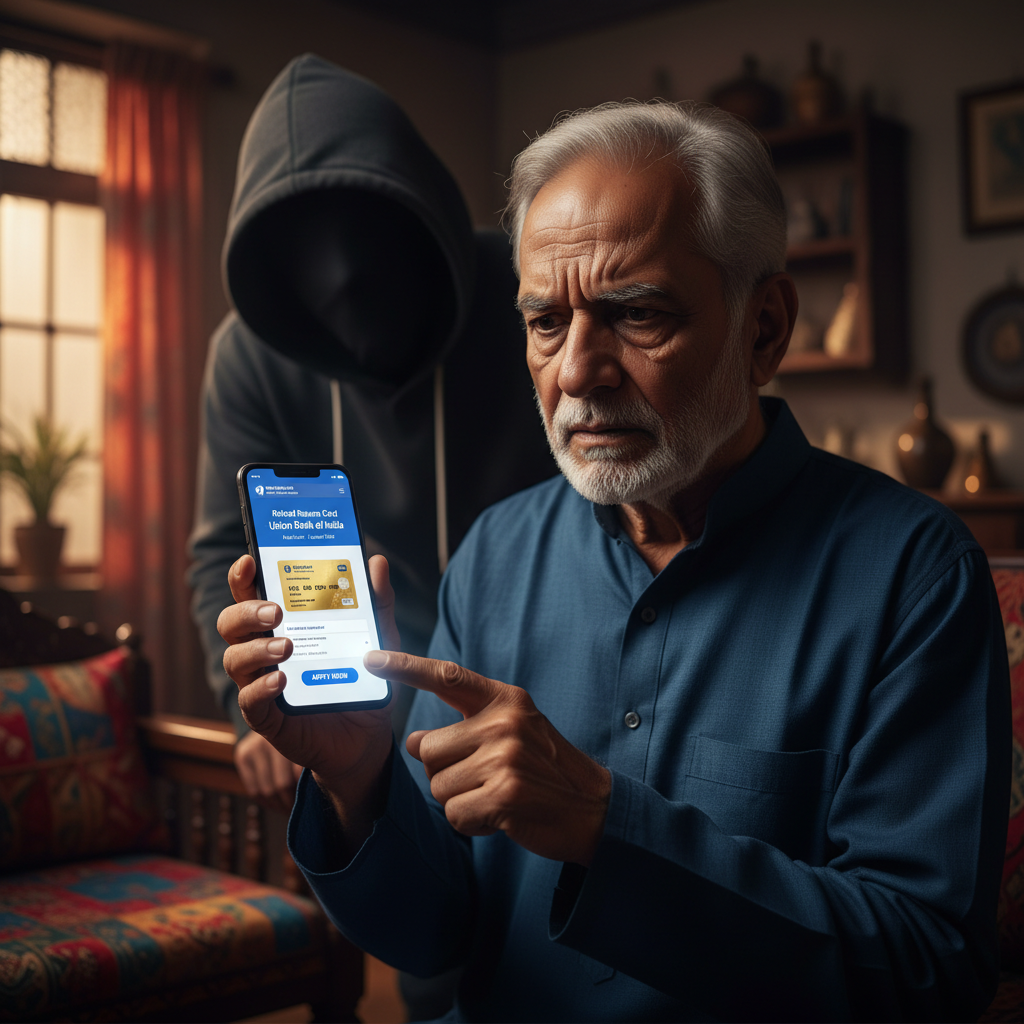
Facebook Pension Card Ad Scam - Union Bank of India - What to Do?
Fraudsters are luring retired individuals with fake pension card advertisements on platforms like Facebook, leading them to install malicious apps and subsequently steal significant sums from their bank accounts. A 66-year-old retired government employee recently lost ₹9.8 lakh after falling for such a deceptive scheme. This scam specifically targets the financial security of our elderly, exploiting their trust and lack of digital awareness.
How This Scam Works
This sophisticated scam begins with highly convincing advertisements appearing on popular social media platforms, primarily Facebook. These ads often mimic official government schemes or financial institutions, featuring logos of prominent banks like Union Bank of India and government emblems, creating a false sense of legitimacy. The ad content typically promises easy access to a "Retired Pension Card" or enhanced pension benefits, playing on the financial aspirations and needs of retirees. When a victim, such as our example 66-year-old retired government employee, clicks on such an ad, they are often redirected to a fake website that looks identical to an official bank portal or a government benefits site. This website is designed solely to harvest personal information. The scammers then typically send an SMS to the victim, often containing a link to download a "required" mobile application. This app is, in reality, a malicious piece of software designed for remote access or data theft. Upon installing the app, victims are prompted to enter their banking details, including account numbers, UPI PINs, passwords, and even Aadhaar card details, under the guise of "verification" or "application processing." Unbeknownst to them, the malicious app allows the fraudsters to remotely access their phone, view their SMS messages (including OTPs), and even initiate transactions. Once the scammers have the necessary banking credentials and the ability to intercept OTPs, they swiftly transfer funds from the victim's account, often in multiple small transactions to avoid immediate suspicion, until a substantial amount is stolen. The lack of digital literacy among many elderly individuals makes them particularly vulnerable to these manipulative tactics, as they may not question the legitimacy of official-looking apps or the requests for sensitive information.
Red Flags
- Unsolicited Offers for "Pension Cards" on Social Media:** Be highly suspicious of any advertisements on Facebook, Instagram, or other social media platforms offering new "pension cards" or enhanced benefits, especially if they are from unfamiliar pages or accounts. Official government schemes or bank initiatives are rarely promoted exclusively through paid social media ads requiring immediate action.
- Requests to Download Unknown Apps via SMS:** Never download an application from a link received via SMS, especially if it's related to a financial service or government benefit. Always download apps from official app stores (Google Play Store or Apple App Store) and verify the developer.
- Pressure to Provide Sensitive Banking Details:** If an ad, website, or app immediately asks for your full bank account number, debit/credit card CVV, expiry date, UPI PIN, or net banking password for "verification" or "application," it's a major red flag. Legitimate institutions rarely ask for all these details at once, especially through unsolicited channels.
- Grammatical Errors and Poor Quality Graphics:** While some scam ads are highly polished, many still contain subtle grammatical errors, inconsistent branding, or slightly pixelated logos that might indicate a fake. Pay close attention to the details.
- Unofficial-Looking URLs:** Always check the website address (URL). Scammers often use URLs that look similar to official ones (e.g., "unionbankoflndia.com" instead of "unionbankofindia.co.in"). Look for the "https://" padlock symbol for secure connections, but remember even scam sites can have this.
How to Stay Safe
- Verify Information Directly with Official Sources:** If you see an advertisement for a new pension scheme or benefit, do not click on the ad. Instead, visit the official website of the concerned bank or government department by typing the URL directly into your browser, or call their official customer service number to verify the information.
- Never Download Apps from Unknown Sources:** Only download banking or government-related applications from the official Google Play Store or Apple App Store. Before downloading, check the developer's name, read reviews, and verify the number of downloads.
- Protect Your Personal and Banking Information:** Never share your bank account number, UPI PIN, debit/credit card CVV, expiry date, Net Banking password, or OTPs with anyone, regardless of who they claim to be. Banks and government agencies will never ask for such details over the phone, SMS, or through unofficial apps.
- Educate Elderly Family Members:** Talk to your elderly parents and grandparents about these types of scams. Explain the risks of clicking on unknown links and downloading unverified apps. Encourage them to always consult a trusted family member before acting on any unsolicited financial offer.
- Enable Two-Factor Authentication (2FA):** Where available, enable 2FA for all your online banking and social media accounts. This adds an extra layer of security, making it harder for fraudsters to access your accounts even if they have your password.
If You Are Targeted
- Immediately Block Your Bank Account/Cards:** As soon as you suspect fraud or notice unauthorized transactions, contact your bank's customer care helpline immediately to block your bank account, debit card, and credit cards. Many banks have 24/7 helplines and options to block cards via their mobile app or net banking.
- Change All Passwords:** Change passwords for your net banking, UPI apps, and any other financial accounts that might have been compromised. Use strong, unique passwords.
- Report the Incident to Cybercrime:** File a complaint immediately on the National Cybercrime Reporting Portal (cybercrime.gov.in) or call the national helpline number 1930. Provide all details of the scam, including screenshots of ads, SMSes, and transaction details.
- Uninstall Malicious Apps:** If you installed any suspicious app, uninstall it immediately. Consider performing a factory reset of your phone after backing up essential data, as some malware can be persistent.
- Inform Your Family and Friends:** Alert your close contacts about the scam to prevent them from falling victim to similar tactics.
ScamGuard24 Insight
This scam exemplifies the increasing sophistication of cybercriminals in targeting vulnerable populations. The blend of social engineering on platforms like Facebook and the use of malicious apps for remote access creates a highly effective pathway for fraud, highlighting the critical need for digital literacy and caution among all internet users, especially senior citizens.
Suspect a scam right now?
Open ScamGuard24 ScannerRecommended protection tools
AffiliateWe may earn a small commission if you sign up — it never changes our editorial picks.
India's most trusted antivirus. Blocks malicious APKs, UPI phishing and fake banking apps.
Get Quick HealAll-in-one mobile security + VPN. Stops phishing links shared on WhatsApp and SMS.
Try Norton 360Stop reusing passwords. Auto-fills only on the real bank site, never on phishing pages.
Get NordPassRelated alerts
 HIGH RISK
Telegram crypto investment 30% monthly returns India scam – is it real?
 HIGH RISK
Airline Customer Care fake number call for refund – what to do UPI?
 HIGH RISK
Comments
Be the first to comment.